How to Install Spectrum Internet? A Complete Guide
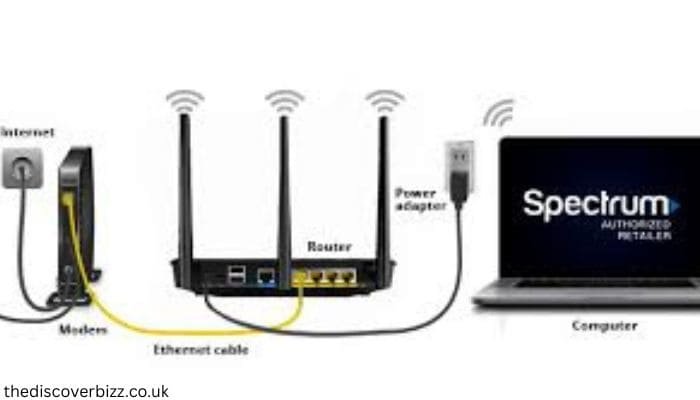
How to Install Spectrum Internet? Spectrum Internet offers a straightforward self-installation process for home and small business customers who do not need or want an appointment with a technician. The kit comes with simple, step-by-step instructions so you can activate your cell phone in no time. We provide a reliable activation platform. Further, Spectrum offers friendly, knowledgeable local support to help you along the way with your online installation. The purpose of this guide is to make sure that the self-installation process for Spectrum Internet is as simple to follow and as satisfactory as possible.
Self-install Spectrum Internet: Why Choose It?
For customers who want to skip in-person technician visits, Spectrum’s self-installation program lets you bypass your provider’s timeline and set up high-speed internet or Spectrum TV yourself. The installation kit will usually include a modem, a Spectrum WiFi router, coaxial cables (depending on the package), an optional splitter, and Ethernet cables, along with user guides. Most customers will receive this kit within a few days of ordering. Similarly, clients can modify their communication preferences and monitor the shipment of their equipment.
Steps to Spectrum self-install internet
- Step 1: Modem Connection
Find a coax outlet that works in your house.
Now, plug in the outlet connected to where you run into the house -Use a coax from your kit and connect it from the outlet at the modem location.
Connect the modem power adapter to a working electrical outlet.
Wait 20 minutes for firmware updates (and usually five otherwise).
Verify the connection by looking for a solid online status light.
- Spectrum TV Setup Tip: If you are going to install Spectrum TV beside the internet, then connect the coax cable with a coax splitter.
- Step 2: Connecting the Modem and Router
Attach the modem to the WiFi router with an Ethernet cable.
Plug the router into an electrical outlet near your computer and let it turn on (approximately 10 minutes).
A single light indicates when the router is ready.
- Step 3: Connect Wireless Device
Select one of the dual WiFi networks on the rear side of your router.
Use the provided password to link any devices with a WiFi connection (e.g., mobile phone, tablet, or laptop).
- Step 4: Service Activation
On a device, go to the activation page for Spectrum internet service.
Use the install guide to find the appropriate website URL.
Follow any on-screen prompts to verify your account for service activation.
For any mount-related questions, please get in touch with the @00 Customer Service Numbers on the packaging.
Conclusion
Setting up Spectrum internet on your own is easy when you follow the proper steps and avoid common mistakes. Thanks to its user-friendly installation kit, guided activation, and support from a company with rock-solid customer service, Spectrum will help you get your internet up and running in no time. Continue reading below… By situating your router in an ideal spot, updating your equipment, and relying on wired connections when needed, you can get even more out of your network. By following these best practices, users can successfully install their Spectrum Internet service and fully use it. Read More
Share this content:














Post Comment